
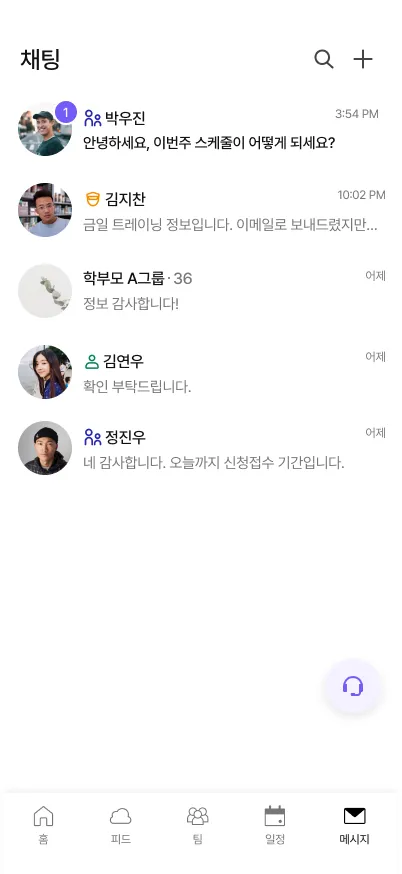
Pin a notice once. Watch the read count climb.
Stop asking "did everyone see this?"
Post tomorrow's schedule change as an announcement and it stays pinned to the top. It doesn't scroll away under photos, stickers, and a dozen thumbs-up. Scout shows you exactly who has read it and who hasn't, so the three parents who always miss the dues reminder get a nudge, not a guess. Channels keep the U12 squad, the coaching staff, and the parents in separate rooms, so nobody has to mute the whole thing to stay sane.
Three things coaches do on day one
Pin the weekly schedule so it never gets buried
Post once as an announcement and it locks to the top of the channel for everyone who joins later too. No re-sending the same notice every Monday. New parent joins in week three? They scroll up once and see it. You stop being the human bulletin board.
Split parents and players into separate channels
Tactics talk, lineup banter, and 'whose turn for water bottles' don't belong in the same thread. Give each squad and each parent group its own channel. Quieter chats mean people actually read what you post, and you stop fielding the same question five times across three group chats.
Reply to a parent without exposing your phone number
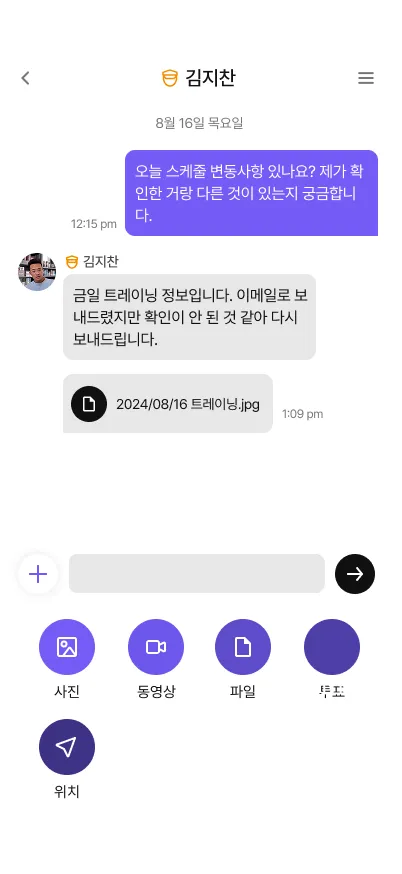
Every conversation happens inside Scout, tied to your role: not your personal mobile. Parents reach you in the app, you answer in the app, and when a coach leaves the academy the access leaves with them. No more strangers texting your private number at 11pm about cleat sizes.
I used to scroll back through 300 messages to find the one notice that mattered. Now it's pinned, and I can see at a glance who's actually read it.Academy director, youth football club
What coaches ask before switching
Do parents have to leave KakaoTalk?
No: and most don't, at first. Teams usually run both for about a week, then quietly stop posting in the old chat once they see the announcements and read receipts. The old group becomes the place you drop the Scout invite link, and that's about it.
Will every parent see my personal phone number?
Never. Chat lives inside Scout and is tied to your role at the academy, not your SIM. Parents message you in the app; you reply in the app. When someone leaves the team, their access ends. Your number was never on the table.
What are read receipts actually good for?
Knowing who saw the notice without nagging the whole group. Post a venue change or a fee reminder and Scout shows read versus unread, so you can quietly follow up with the three people who missed it instead of spamming everyone with "확인 부탁드립니다."
Is the chat really free?
Yes. Chat, channels, announcements, and read receipts are free for every team, at every size. No seat limits, no trial clock. Messaging is part of Scout's free core; on fee collection you pay only the standard processor fee.
Retire the group chat your team secretly mutes
Download Scout free, create a channel, and drop the invite link in your existing chat. The notices stay pinned from there.